Apps & shows / Shared topics
Shows for younger viewers
One activity · TouchChat .ce file
5 activities and a linked menu · 0.7 MB
Say what you want to watch. These buttons communicate your choice; open the chosen app separately. Pick shows together and check ratings in your profile. Morphle, Numberblocks, and Alphablocks use original picture cues rather than character art.
Try the page
Tap a picture to add its words. This practice message stays in your browser.
In TouchChat, Home returns to the home page of the vocabulary containing this page. Clear empties its message bar. When sound is available, the web preview uses your device’s browser voice.
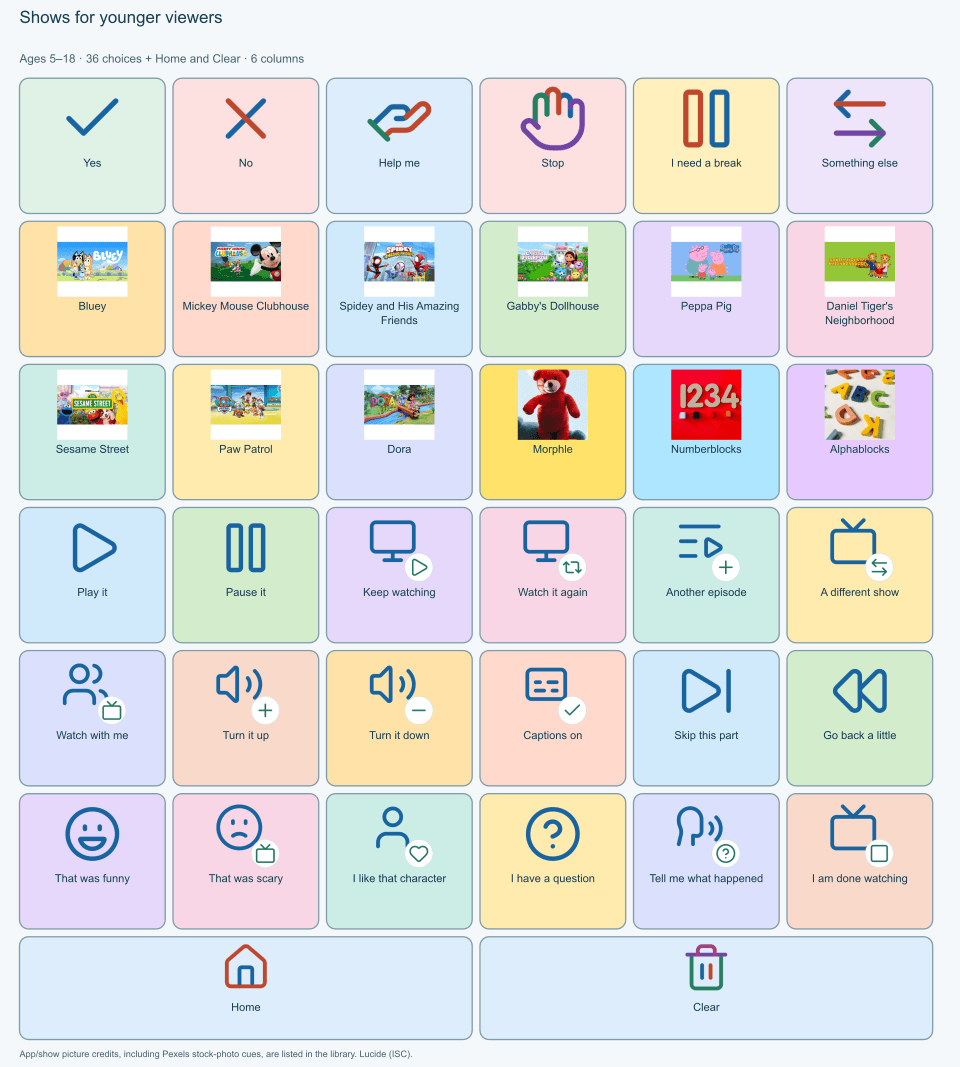
The picture is for viewing or printing. To add buttons to TouchChat, use the .ce download above. The web layout fits your screen; the TouchChat file keeps its fixed grid.
Import once, then link one button.
Copy all 6 pages, including the menus, into your child’s vocabulary. Make a button with Navigate and choose this menu:
First time adding a page?
On your child’s iPad: download the .ce file, open it in Files, and import it into TouchChat with a new name. Try it, then copy its pages into your child’s vocabulary.
Walk me through itDownloads use the import format already tested in this project. Check new pictures, spoken words, and navigation in TouchChat before everyday use. Interest-picture sources.