Daily life & participation / Shared topics
Classroom participation · Classroom: join in and choose
All linked pages included · TouchChat .ce file
Support the learner as a contributor, collaborator and decision-maker. The pages are communication resources, not a checklist for classroom compliance. Adapt age, curriculum, language and access with the communicator and their team. Speech-therapy-informed draft; individual clinical assessment and actual TouchChat import remain untested. Activities opens all pages without clearing your message. Open the full set menu
Try the whole linked set
Choose words, then change pages. Your message stays until you clear it.
Classroom: join in and choose
36 options · 6 × 7 fixed TouchChat gridEnter classroom topics, share an idea, ask about plans, decline and choose support.
Loading interactive controls…
Possible messages: “I have an idea” · “interesting” · “No different activity” · “what next?”. These are examples, not required responses.
Activities opens this set’s menu. Talk opens turns, choices and repair; more questions and opinions are in the menu. Home shows the set menu in this web preview. In TouchChat, Home returns to the home page of the vocabulary containing these pages. Clear empties the message bar.
The web layout fits your screen. TouchChat keeps the fixed grid and bottom controls. Colors are editable draft conventions; familiar symbols, positions and comfortable access should guide personalization.
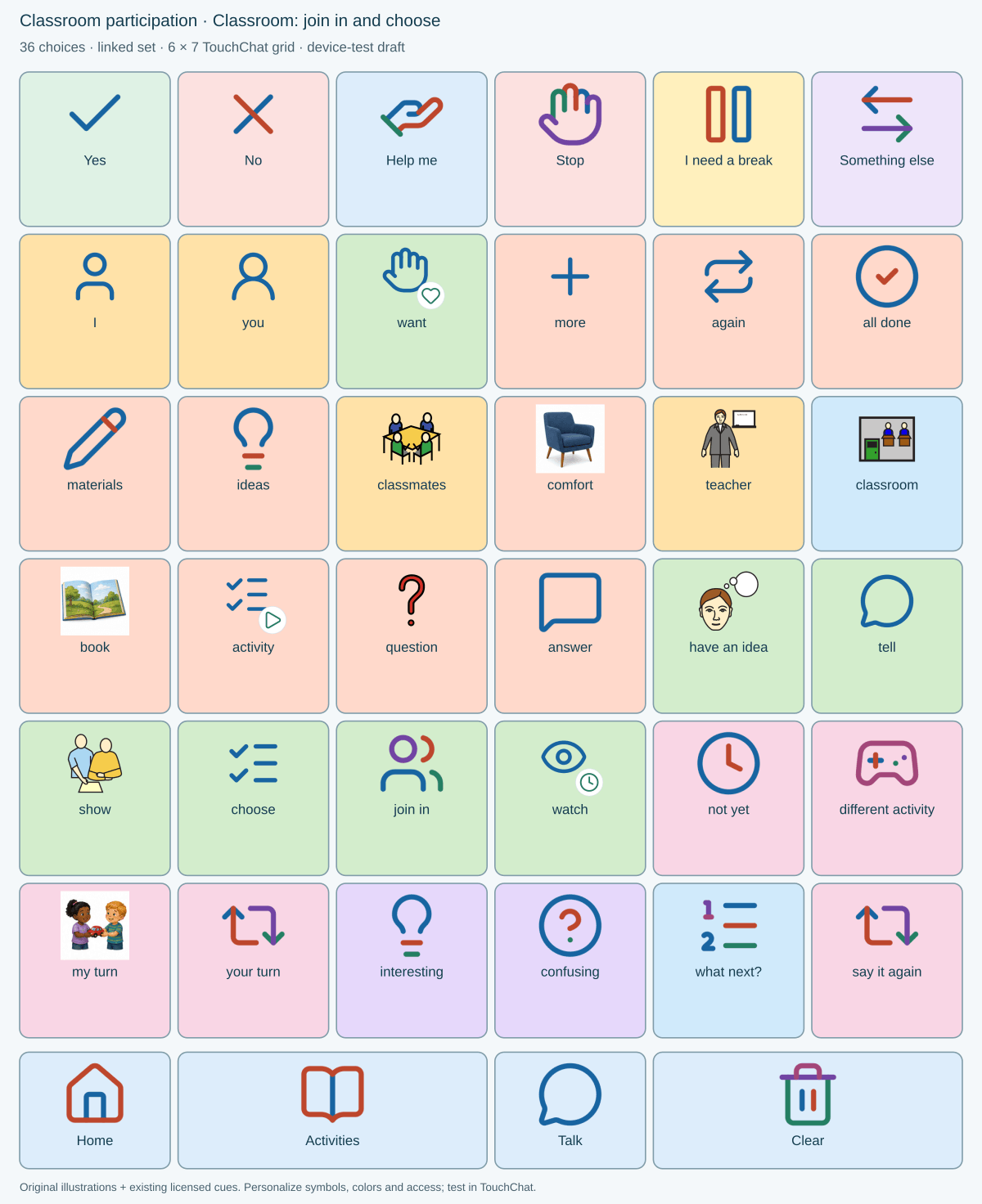
The picture is for viewing or printing. To add buttons to TouchChat, use the .ce download above. The web layout fits your screen; the TouchChat file keeps its fixed grid.
Import once, then link one button.
Copy all 9 pages, including the menus, into your child’s vocabulary. Make a button with Navigate and choose this menu:
First time adding a page?
On your child’s iPad: download the .ce file, open it in Files, and import it into TouchChat with a new name. Try it, then copy its pages into your child’s vocabulary.
Walk me through itDownloads use the import format already tested in this project. Check new pictures, spoken words, and navigation in TouchChat before everyday use. Interest-picture sources.